Lesson 08: Databases and Storage
Embark on your journey to building production grade apps.
Your app looks good and handles errors. But it can't remember anything, and it has nowhere to put the files your users want to upload. This lesson fixes both.
Right now, if a user types something into your app and refreshes the page, it's gone. If they try to attach a photo, there's nowhere for it to go. Your app has no memory and no filing cabinet.
A database gives your app memory. File storage gives your app somewhere to put the things that aren't neatly structured — images, audio, video, PDFs. Together, they turn a demo into a real product.
We're going to use Supabase for both. Supabase is a free service that gives you a database and file storage out of the box. One tool, two problems solved.
Security is a running theme in this lesson. Databases and storage are the first things attackers probe — that's where user data lives. Watch for the security callouts and don't skip them. Getting the basics right here is the difference between an app that leaks user data and one that doesn't.
What is a Database?
A database is where your app stores information. Think of it like a spreadsheet that your app can read from and write to.
Every app you use has a database behind it. Instagram stores your captions, likes, and followers in a database. Twitter stores your tweets. Spotify stores your playlists. When you close the app and reopen it, your stuff is still there. That's because it's saved in a database, not on your device.
Without a database, your app is like a whiteboard. It looks great while you're using it, but the moment someone erases it (or refreshes the page), everything is gone.
How databases are organized
A database is made up of tables. Each table stores one type of thing. If you're building a to-do app, you might have:
- A
userstable (who's using the app) - A
todostable (what they need to do) - A
projectstable (how they organize their tasks)
Each table has rows and columns, just like a spreadsheet. The todos table might look like this:
id  user_id  task              completed
--  -------  ----------------  ---------
1   abc123   Buy groceries     false
2   abc123   Walk the dog      true
3   def456   Finish homework   false
Each row is one item. Each column is one piece of information about that item. The id column gives each row a unique identifier so the database can find it.
What is a database?
What is a table in a database?
What is SQL?
A database holds your data. SQL (pronounced "sequel") is how you talk to it. It stands for Structured Query Language, and it's the language every major database on the planet speaks: Postgres, MySQL, SQLite, Supabase (which is Postgres under the hood), even Google's internal systems.
You'll see SQL a lot in this lesson. Your AI agent will hand you snippets and ask you to paste them into Supabase. Knowing what the snippets actually say turns "I'm blindly running stuff" into "I can read the commands before I run them." That's the difference between trusting your tools and being at their mercy.
SQL is surprisingly readable. Here are the four commands that cover 90% of what apps do:
-
SELECTreads rows. "Give me the tasks that belong to user abc123."SELECT * FROM todos WHERE user_id = 'abc123'; -
INSERTadds a new row. "Add a new todo called 'Buy groceries' for user abc123."INSERT INTO todos (user_id, task) VALUES ('abc123', 'Buy groceries'); -
UPDATEchanges existing rows. "Mark todo #1 as completed."UPDATE todos SET completed = true WHERE id = 1; -
DELETEremoves rows. "Delete todo #2."DELETE FROM todos WHERE id = 2;
Your app hits the database thousands of times a day, and every one of those reads and writes is one of these four commands under the hood. Your AI agent is writing SQL for you. The job is to recognize it when you see it.
Why SQL Is Worth Knowing
Even if you never hand-write a query, here's why SQL pays off:
- You can read what your agent wrote. Is this query safe? Does it filter by the right user? Is it deleting more than you intended? You can tell at a glance.
- You can debug. When your app says "nothing's showing up," the fix is almost always in the query. Being able to open Supabase's SQL Editor and try the query yourself is a superpower.
- It's permanent. SQL has been the standard for 50 years. Frameworks come and go. The SQL you learn today will be relevant in 2050.
- It's portable. The same queries work on Postgres, MySQL, SQLite, and every major cloud database. Learn once, use everywhere.
You don't need to become an expert. Recognize the four commands above and you're set for this lesson and most of what follows.
What is SQL?
Why is it worth knowing SQL even if your AI agent writes queries for you?
What is File Storage?
Databases are great for structured data (text, numbers, dates, relationships). They are bad at raw files. A 5MB photo sitting in a database row is slow to read, slow to write, expensive to back up, and impossible to serve efficiently to a browser.
File storage is purpose-built for this. It's a cloud filing cabinet with a URL for every file. You upload a file, get back a path, save that path in your database, and serve the file directly from the cabinet when your app needs it.
Things that belong in storage:
- Profile pictures and avatars
- Images, videos, audio, PDFs uploaded by users
- Exports, reports, generated files
The split is always the same: metadata goes in the database, bytes go in storage, the database points to the bytes.
Why use file storage instead of putting files directly into the database?
Let's Build a List App
We'll use the database by building the smallest thing that needs one: a list where items are added with an input field and deleted with a delete button. Refresh the page and the list is still there. That's what a database buys you.
Open your Repl's AI panel and paste:
I am building a project to help me learn databases. Today we will
build a simple list where items are appended via an input field
and deleted via a delete button.

Rules:
- The list MUST be stored in a real hosted database (Supabase,
  Firebase, or similar). Do NOT use local React state,
  localStorage, sessionStorage, or any client-only storage.
  Do not use optimistic updates. The displayed list must always
  come from the database.
- Every add inserts into the database and then re-reads the list
  from it. Every delete removes from the database and then re-reads.
- Database credentials come from environment variables that are
  ALREADY set in my shell as **`SUPABASE_URL`** and
  **`SUPABASE_KEY`**. Read those exact names directly from
  `process.env` at runtime. Do NOT ask me to create a `.env` /
  `.env.local` / `config.js` / any other file with placeholders,
  and do NOT ask me to re-export the variables under different
  names (`VITE_SUPABASE_URL`, `NEXT_PUBLIC_SUPABASE_URL`, etc.).
  They're already set. Use them.
- Pick a stack that can actually read shell env vars at runtime.
  Vanilla HTML/CSS/JS served by a tiny Node or Python local server
  that reads `process.env` at request time is fine (and simplest).
  Next.js server components or server routes are fine. **Do NOT
  use Vite + React** for this — Vite inlines env vars at build
  time, requires the `VITE_` prefix, and only reads them from an
  `.env` file on disk, which breaks the "use my shell exports
  directly" rule. If you use a framework with a prefix convention,
  you're responsible for wiring `SUPABASE_URL` → whatever name
  the framework needs, inside a `package.json` dev script —
  without me having to do anything.
- Ask me zero follow-up questions about credentials — they're
  already in my shell.
- If the database isn't configured yet (missing credentials or
  missing table), show a clear error message in place of the list.
  Do not silently fall back to a local-only list that pretends
  to work.
- Keep the input field and the Add button always enabled and
  clickable. The user should be able to type and click regardless
  of the database state. If the database isn't configured, clicking
  Add should simply attempt the request and show the error — don't
  disable controls as a "guard."
- Keep the UI minimal. Standard system fonts, plain colors, no
  gradients or fancy backgrounds. This is a learning exercise,
  not a design showcase.

Run it locally so I can see it in my browser.
Replit Agent will scaffold the app, figure out it needs a database, and pop up an environment-variables panel asking for your Supabase Project URL and anon public key:
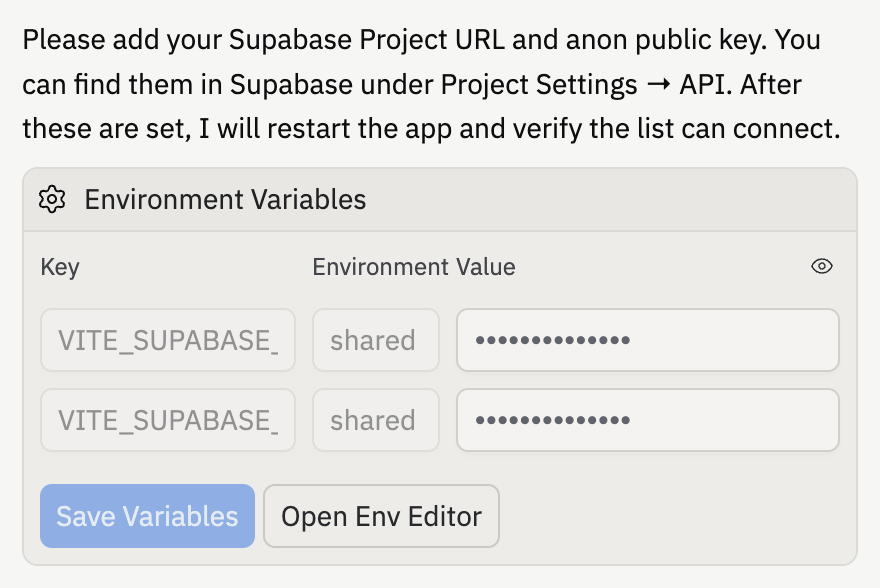
You don't have those keys yet. Here's how to get them.
Create a Supabase Project
Supabase is a free database service. Go to supabase.com and sign up. You can use your GitHub account.
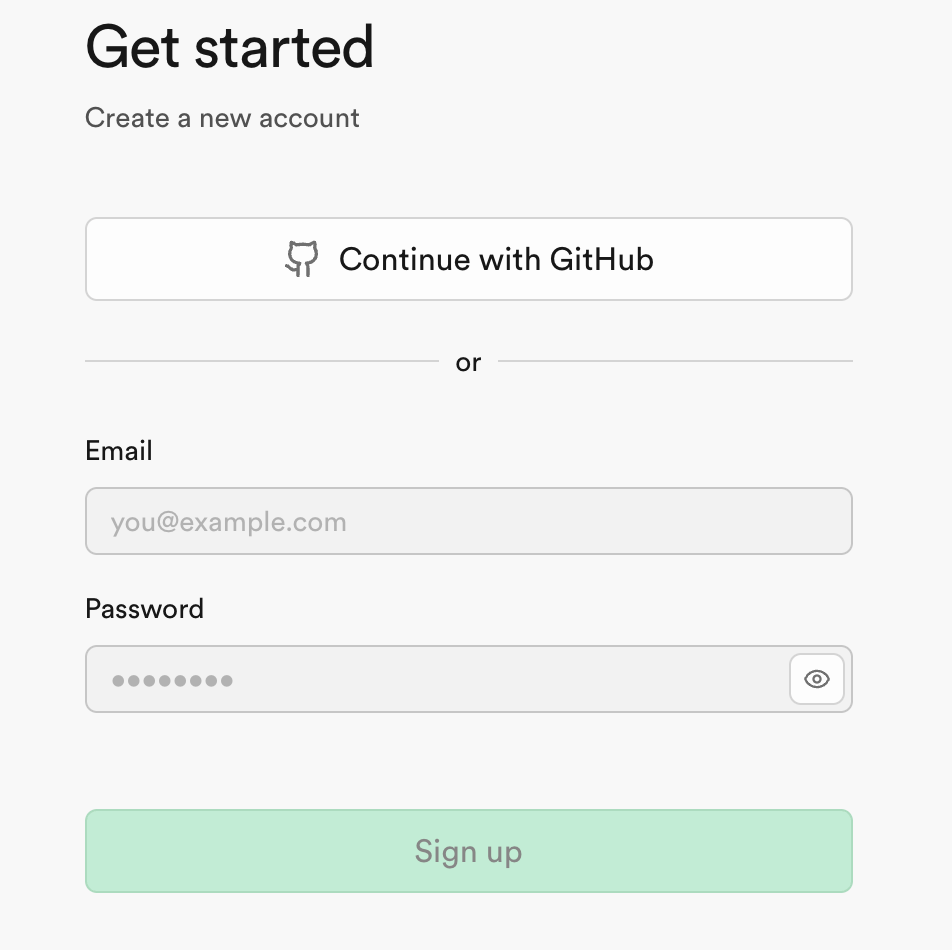
Once you're logged in, click New Project. Give it a name (like my-list-app), pick a region close to you, and create a strong database password. Save the password somewhere safe.
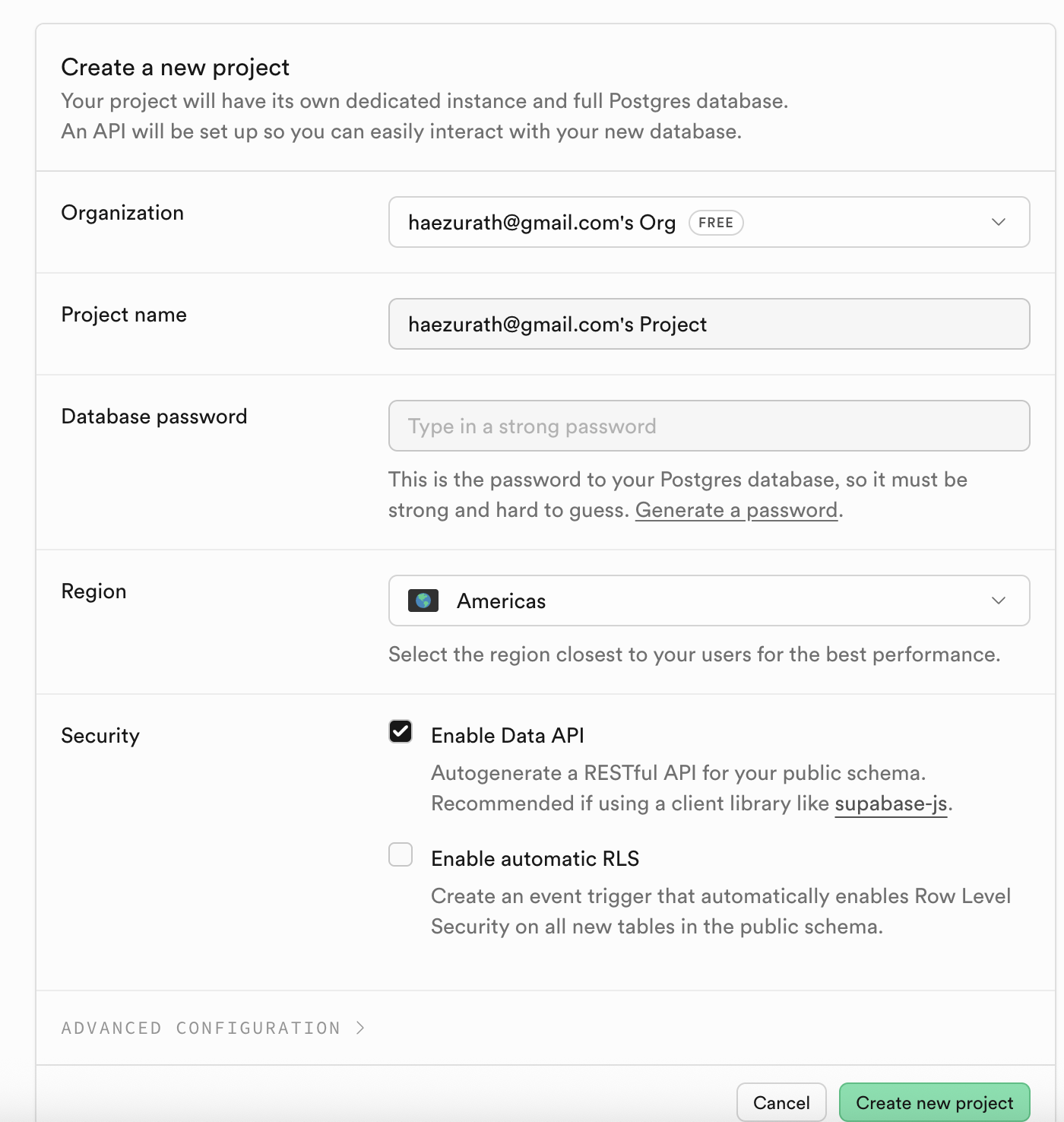
Click Create new project. It takes about 30 seconds to spin up.
Hit Connect
In your Supabase dashboard, click Connect at the top. A modal opens showing your keys:
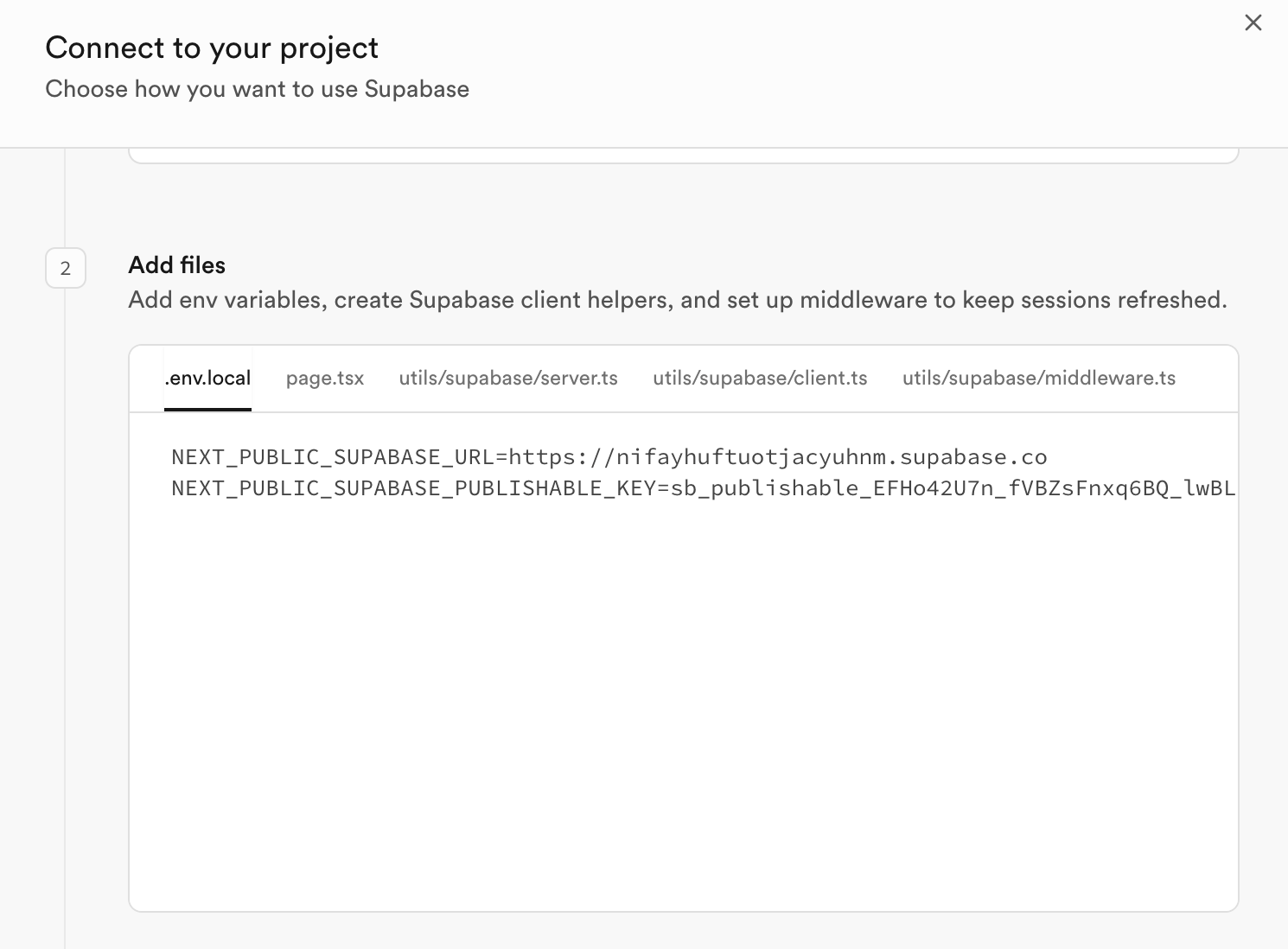
Copy the URL and the publishable key (the values to the right of each =) and paste them into Replit's env-vars panel. Then click Save Variables. Replit restarts the app and the agent wires it up.
Security — don't touch the second key. Supabase also shows a
service_rolekey elsewhere. It bypasses every security rule in your project. If it leaks (in your frontend, in your Git history, in a log), anyone who finds it can read, write, or delete any data. Only use the anon / publishable key in your app. Never theservice_rolekey. Bots scan public repos for keys within minutes.
Create the Table
Try adding an item in the preview. It probably won't work yet — you might see a Supabase error in the app, or the list might just stay empty after you click Add. Either way, the cause is the same: your agent wrote code that reads and writes a table, but the table doesn't exist in your Supabase project yet. Replit can't create tables for you — Supabase keeps schema changes out of what the agent can touch.
-
Ask your agent to diagnose:
> I tried adding an item but nothing happened (or I got an error about a missing table). Can you diagnose what's wrong with Supabase and give me the SQL I need to run to create the table this app needs? -
The agent will reply with a
CREATE TABLE ...statement. The table will look something like this:CREATE TABLE public.list_items ( id BIGINT GENERATED BY DEFAULT AS IDENTITY PRIMARY KEY, name TEXT NOT NULL, created_at TIMESTAMPTZ DEFAULT now() ); -
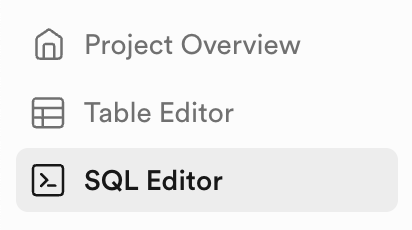
In your Supabase dashboard, click SQL Editor in the left sidebar:
-
Paste the SQL the agent gave you and click Run.
-
Back in your app, refresh the page (or click Refresh on the error box, if you got one).
Then toggle RLS off for the new table: Table Editor → [your table] → RLS disabled toggle at the top.
Security — you will turn RLS back on. Disabling it is fine while building solo. In the sophomore auth lesson you'll turn it back on with a policy scoped to each user. Never ship a real app with RLS disabled.
Try adding an item again. This time it should save.
Try It
Your preview should now show a working list. Type something, click Add — it appears. Click Delete — it's gone. Refresh the page — your items are still there.
That's a database.
What does the Supabase SDK do?
Adding Storage to Your App
Now let's let users upload files — an image attached to each list item, for example.
Create a Bucket
In Supabase Storage, a bucket is a named container for files (like a top-level folder). You'd typically have one bucket per kind of content: avatars, post-images, documents.
-
In your Supabase dashboard, click Storage in the sidebar
-
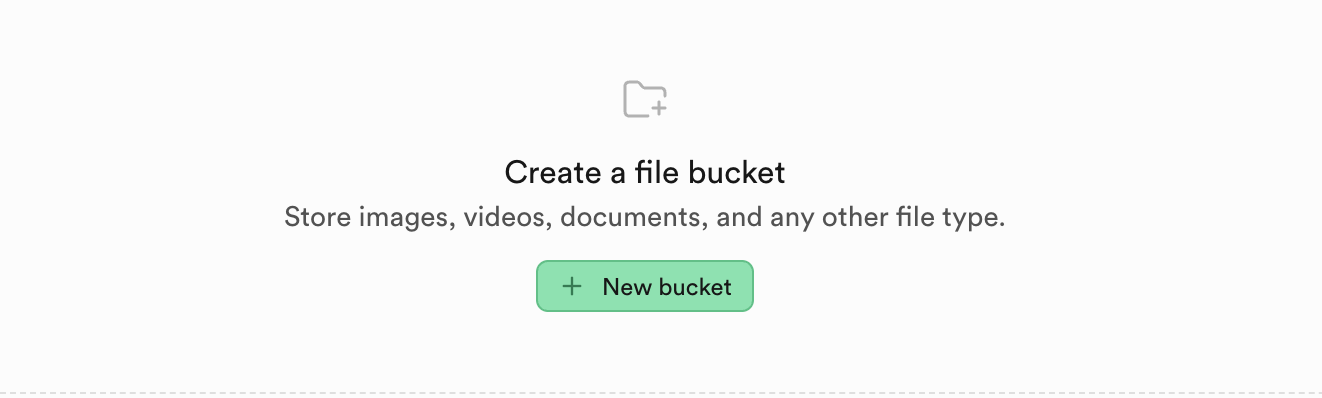
Click New bucket
-
Name it
todo-attachments -
Leave Public bucket off for now
-
Click Save
Security — public vs private buckets. A public bucket makes every file in it readable by anyone with the URL. Fine for things that are truly public, like profile pictures on a social app. A private bucket requires the owner's session to read — use this for anything users expect to stay private (receipts, medical docs, message attachments). Default to private. Turn public on only when you mean it.
Set a Storage Policy
Buckets use RLS-style policies just like tables. While you don't have authentication yet, set a permissive policy so uploads work, but plan to tighten it later:
-
Click on your
todo-attachmentsbucket -
Click the Policies tab
-
Click New policy → Use template → pick Allow access to JPG images in a public folder to anonymous users
-
Under Allowed operation, check SELECT (read / download) and INSERT (upload). The list below shows which client functions each operation enables (
upload,download,list, etc.) -
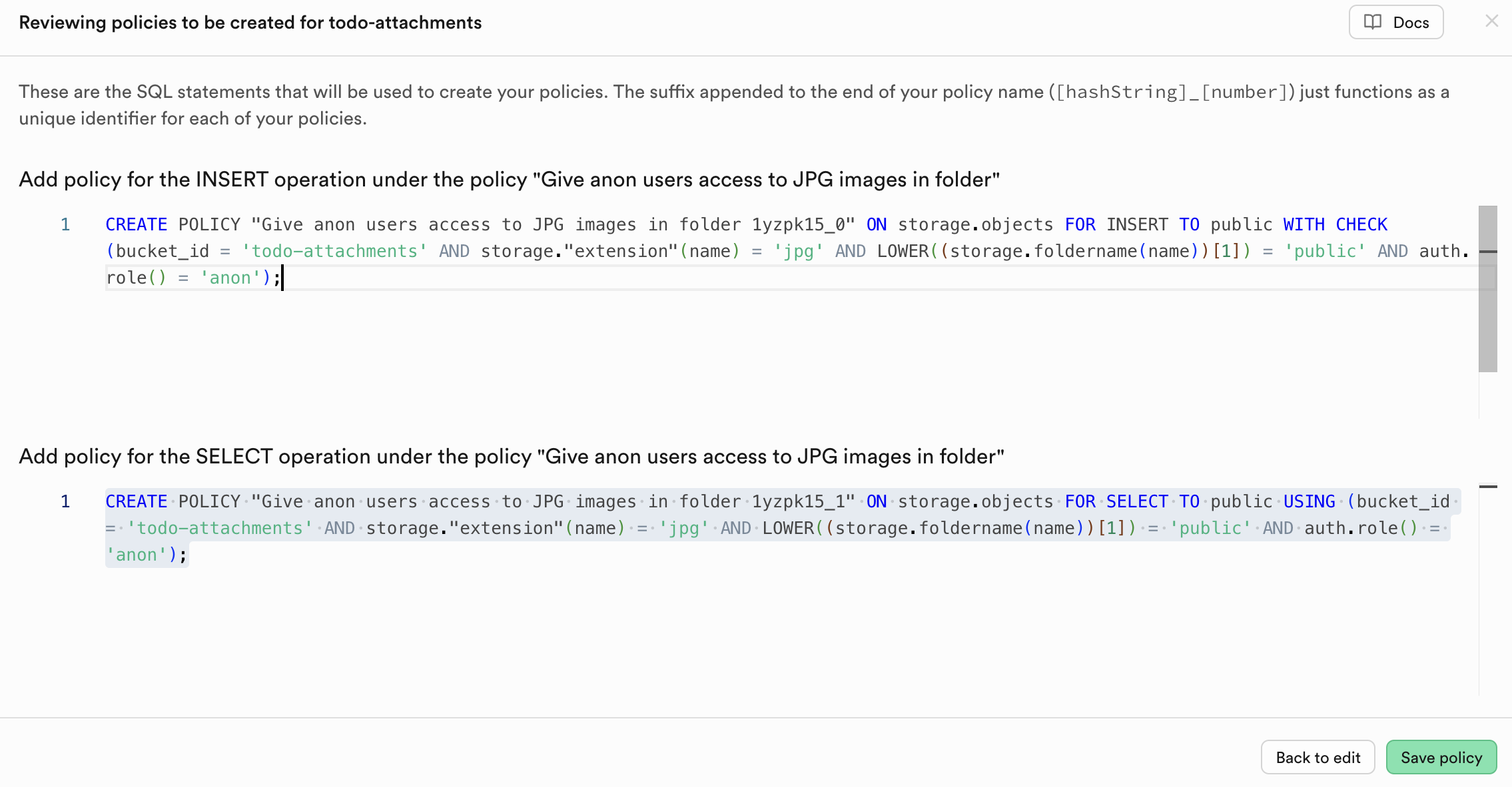
Click Save policy. Supabase shows a review screen with the exact SQL it'll run for each operation you picked:
-
Click Save policy on the review screen to confirm. You'll land back on the Policies tab, which now lists your two new policies under
todo-attachments. That's it — the bucket will now accept uploads and serve them back, as long as they match the policy's rules.
Heads up — what this template actually allows. Reading the SQL: only
.jpgfiles, only inside a folder namedpublic/, only for anonymous users. If your uploads use a different extension or path, the policy won't match and uploads will silently fail. Tell your agent to save images aspublic/{timestamp}.jpgso the policy matches (you'll do this in the upload step below).
Security — you'll tighten this later too. In the authentication lesson, you'll swap this out for a policy that restricts uploads and reads to each user's own folder (
{user_id}/...). Right now, anyone with your app's URL can upload. Don't leave this open once you have real users.
Add a Column to Reference the File
You need somewhere in your table to store the path to each uploaded file. Ask your agent:
> I need to add a column to my list table in Supabase to store the
  path to an uploaded image. What SQL should I run to add an
  "attachment_path" text column that can be null?
The agent already knows what your table is called, so it'll give you the right statement. It'll look something like this:
ALTER TABLE public.list_items
  ADD COLUMN attachment_path TEXT;
In your Supabase dashboard, click SQL Editor in the left sidebar, paste what the agent gave you, and click Run (top-right of the editor).
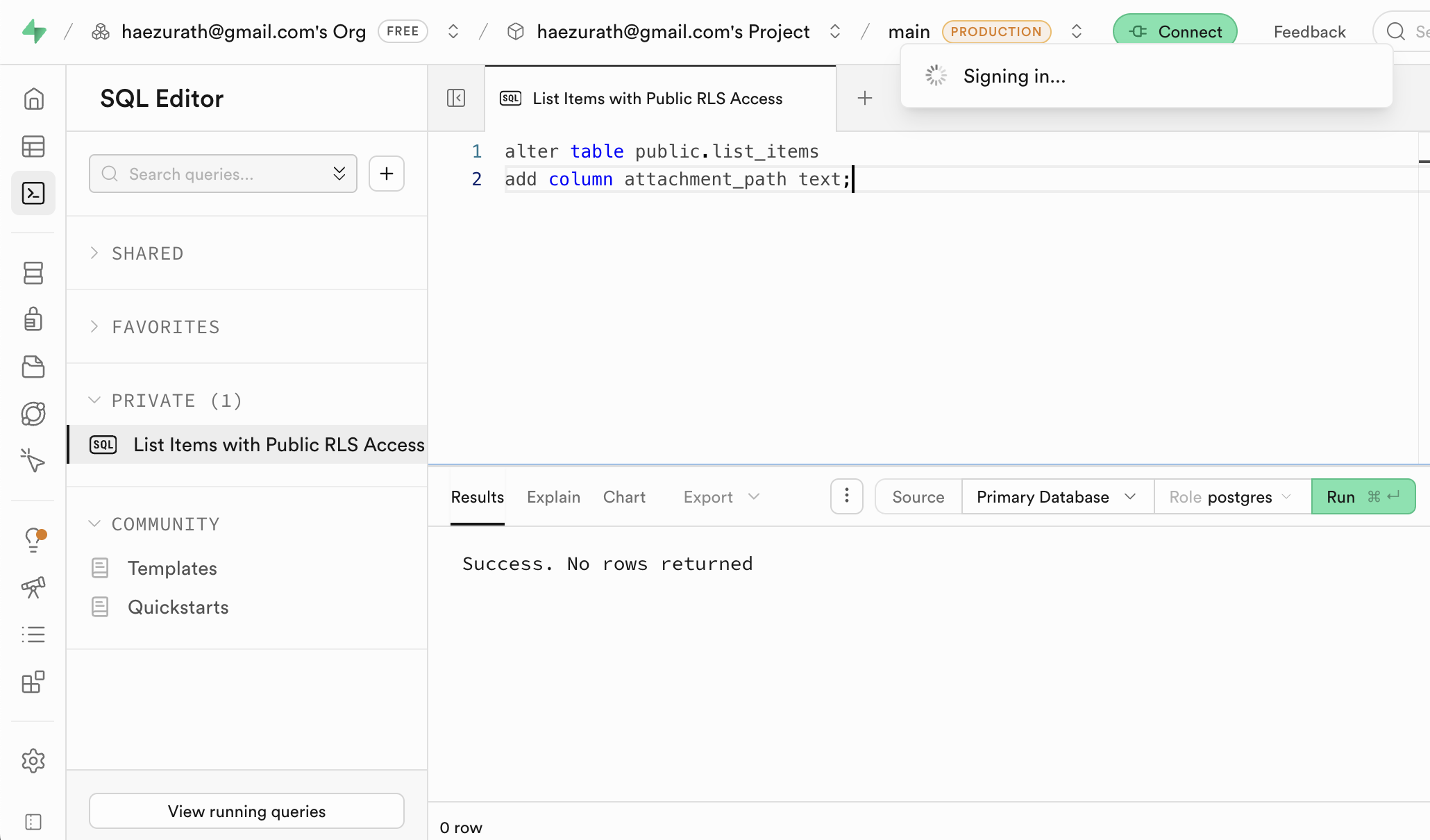
You should see Success. No rows returned in the Results pane. Your table now has a spot for each uploaded file's path.
Upload Files From Your App
Tell your AI agent:
> add an optional file input to my add-item form. accept only JPG
  images. when the user picks a file, show a small thumbnail or
  the filename next to the input so they can see the file is
  attached. the file should upload when they click Add (not when
  they pick the file), so make sure the Add button is the obvious
  way to submit both the text and the image together. upload to
  the todo-attachments Supabase bucket under a path like
  public/{timestamp}.jpg (the "public/" prefix and ".jpg" extension
  are required by the storage policy). save the returned path into
  the attachment_path column for the new item. if no file is
  picked, just save the item without an attachment.
Display the Files
> when rendering each list item, if it has an attachment_path, use
  supabase.storage.from('todo-attachments').getPublicUrl(path) to
  build a URL. render images inline, and anything else as a download link.
Constrain What Users Can Upload
Storage is where a lot of security incidents happen. Without limits, a user can upload a 2GB file, a malicious executable, or an HTML file that runs scripts in other users' browsers. You need guardrails.
> before uploading, enforce these rules:
  - accept only image/jpeg, image/png, image/webp, and application/pdf
  - reject files larger than 5MB
  - rename uploaded files so the stored filename doesn't contain
    user-supplied text
  - show a friendly error if the check fails
Security — why MIME and size checks matter. Browsers sometimes execute files they think are HTML or JavaScript, even if uploaded as images. An attacker who uploads a file named
photo.jpgthat is actually HTML can run scripts in other users' browsers — that's a classic upload-based XSS. Check MIME types on the client for UX, and rely on your bucket policy (and file size limits on Supabase) to enforce them server-side. Without a file size cap, one user can fill your quota or run up your bill.
Why validate MIME types and file size on uploads?
Security Recap
A quick mental checklist before moving on:
- Keys: anon key in env vars;
service_rolekey never leaves Supabase or a trusted server. - Database: RLS on in production, disabled only while testing solo.
- Input validation: max lengths, trim whitespace, strip HTML before rendering back.
- Buckets: default private; public only when content is truly public.
- Uploads: MIME type and size caps on the client and enforced via bucket policies.
- Never trust the client. Anything you enforce in the browser, also enforce in Supabase.
Database vs Blockchain: What Goes Where?
You've just learned how to store data in a database and files in cloud storage. Later in this course, you'll learn how to store data on a blockchain. They're not interchangeable — each is suited to different kinds of data.
Use a database (and storage) when:
- Data is private or user-specific (a user's profile, their todos, their uploads)
- Data changes frequently (likes, views, status updates)
- You need to query it in complex ways (search, filters, sorting)
- Performance and cost matter at scale — databases and storage are fast and cheap
Use a blockchain when:
- Data needs to be public and verifiable by anyone
- Data must be permanent and tamper-proof
- No single entity should own or control it
- You're dealing with value, ownership, or trust (tokens, contracts, votes)
A practical example: if you're building a marketplace, user profiles and product photos probably live in Supabase. But ownership of an item, the transaction history, and payment logic might live on a blockchain.
Most real-world apps use both. The database and storage handle the fast, private, everyday stuff. The blockchain handles the stuff that needs to be ownerless and permanent.
Which type of data is best suited for a blockchain?
What You Just Built
Your app now:
- Remembers things with a Supabase database
- Holds user-uploaded files with Supabase Storage
- Keeps API keys out of reach of the agent and Git
- Validates uploads so bad files can't get in
- Runs with RLS as the firewall between your data and the internet
That's the real skeleton of a production app. It's missing one big piece: it doesn't know who is using it. In the sophomore track you'll add authentication, turn RLS back on, and make each user's data actually private.
What's Next
Your app has memory and file storage. Next, we'll explore Monad's architecture and how blockchain offers a fundamentally different approach to the problems we just solved: identity, data storage, and trust.
0/8 correct
0% — get all correct to complete